Collage
Evolving a previously commercialized idea into a modern browser-based creative tool. Collage fills the letters of a text, or a shape, with photos, and does all of it on the user’s device.
Origin
Collage began as an earlier project that I developed and sold. It was an idea that had already found a buyer, not a blank-page experiment.
The current application is a new implementation that reinterprets that idea, not the product that was sold.
The rebuild
I came back to the idea as an independent product and rebuilt it for the browser. One constraint shapes the whole design: the photos never leave the device. Composition, editing, saving and export all happen locally, with no account.
Product evolution
- The layout engine changed as the product matured. A newer engine that favours larger photos is now the default, and the first one is kept so projects made with it still open unchanged.
- Shapes joined text: eleven preset silhouettes, and custom shapes traced from the user’s own image.
- Projects became durable: autosave in the browser, a project list, and backups that can be exported and imported.
- Help moved into the product: an optional guided tour, a help button next to each control and a “How it works” page.
Current experience
From a word or a shape to a finished image
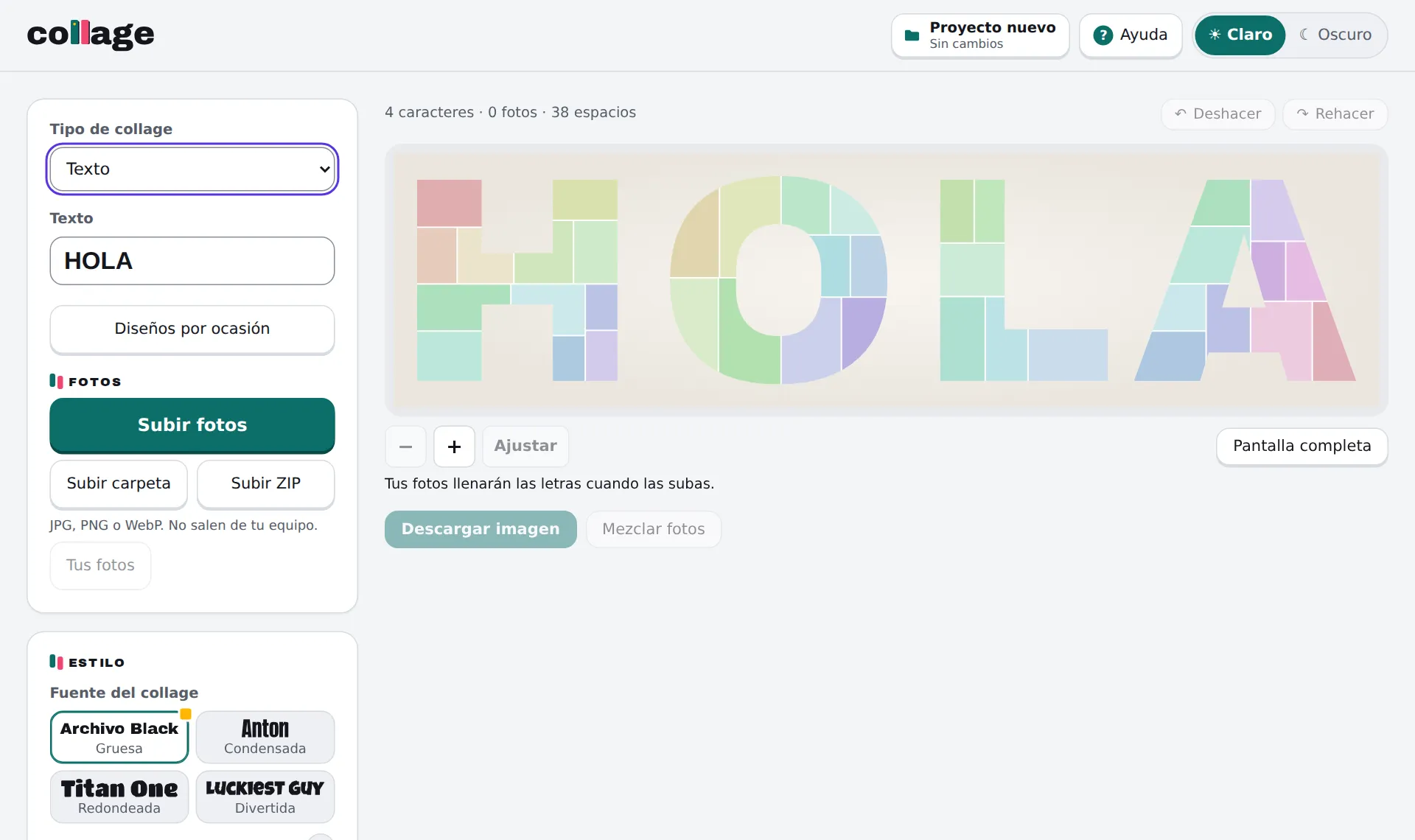
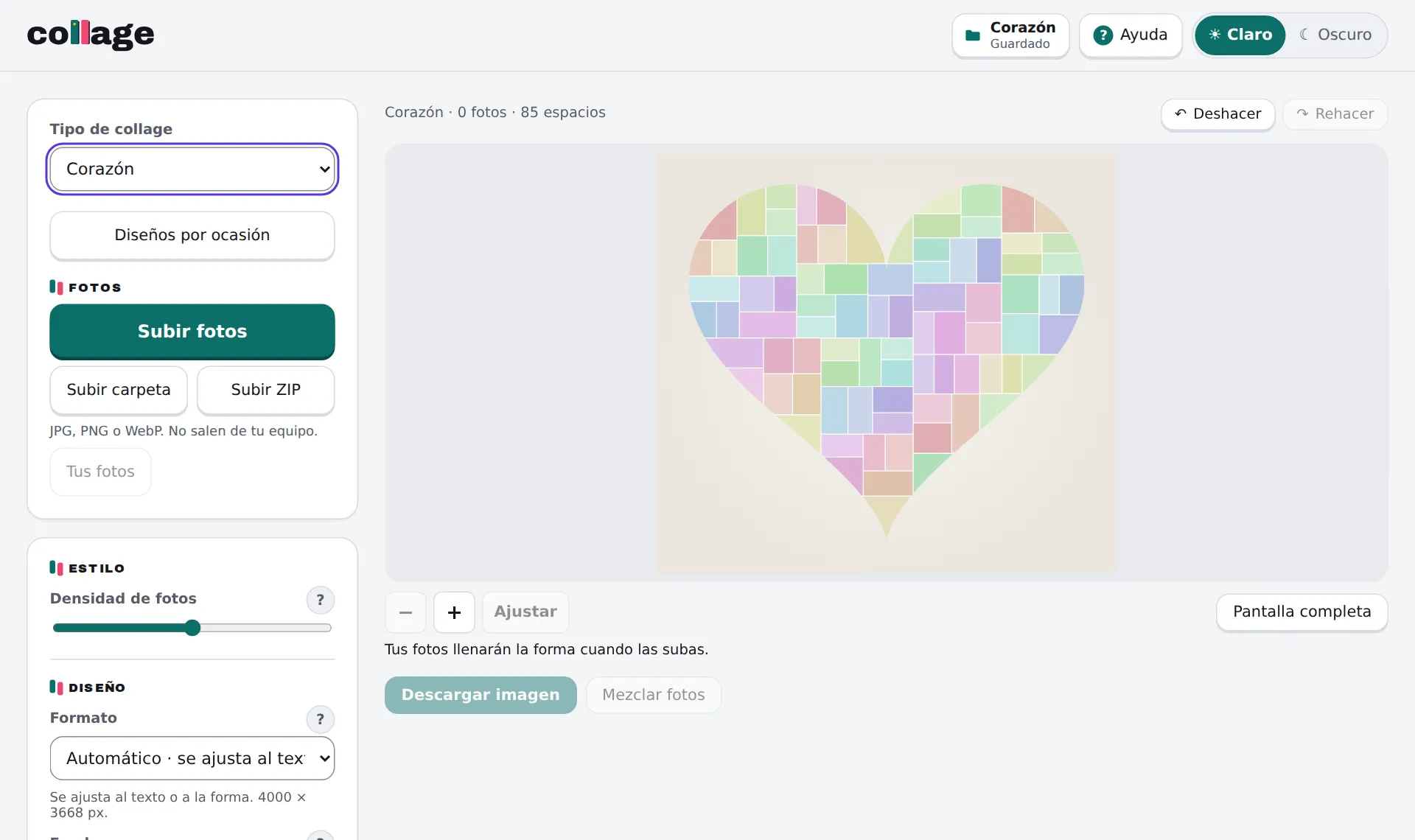
Captured from a local run of the current build.
- Type a text or choose a shape, then add photos as files, a whole folder or a ZIP, up to 200 at a time.
- Reframe any photo with pan and zoom, replace it, swap it with another slot, or reshuffle them all.
- Choose the font, photo density, horizontal or vertical composition, output format (automatic, 1:1, 4:5, 9:16 or 16:9) and background, and add up to ten text overlays.
- Zoom the preview up to 8×, work in full screen, and undo or redo up to 30 steps.
- Download a PNG up to 4000 px wide; on phones that support it, the share sheet opens instead.
UX and product decisions
Local by design
Photos, texts and projects stay in the browser. Location and other metadata are removed from photos when they are imported.
Phones as a first-class target
At normal size one finger scrolls the page; once zoomed in, it pans the collage. Pinch to zoom, and export through the native share sheet.
Help where the question appears
The guided tour is offered once and can be skipped. After that, help sits next to the control it explains.
Mistakes are cheap
Undo and redo with keyboard shortcuts, automatic saving, and backups that can be exported and restored.
Old work keeps working
When the layout engine changed, the previous one stayed available so earlier projects reopen exactly as they were.
Technical approach
- React 19, TypeScript and Vite. The collage engine is plain TypeScript and does not depend on React.
- The pipeline turns glyph outlines (opentype.js) into canvas masks, divides each letter into slots with recursive cuts, distributes photos so the same photo is not placed in neighbouring slots, and renders the preview as SVG with a clip path per letter.
- Export draws the final image on a canvas, in the browser.
- Projects are saved in IndexedDB, versioned, and protected against two tabs editing the same project at once.
- Deployed on Cloudflare Pages. The only server code records anonymous, cookieless daily counters and respects Global Privacy Control and Do Not Track.
- An automated test suite with Vitest, and continuous integration that runs tests, lint and build on every change.
Current limitations
- The interface is in Spanish only.
- There are no accounts or cloud sync: projects live in the browser that created them, and moving them means exporting a backup.
- Backups keep the photos as processed for editing, not the original files.
Live project
Collage runs in the browser, on desktop or phone, with no account. Photos stay on the user’s device.
collage.abrahamguerra.dev